
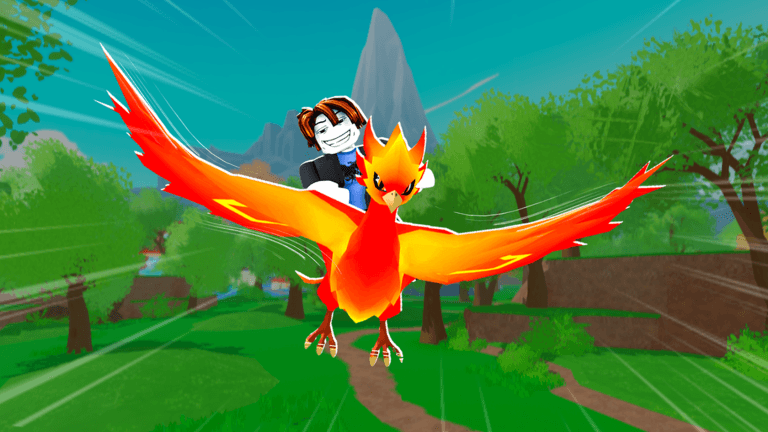
Ride A Pet connects exploration and progression: find eggs, hatch pets and use their movement to reach your next target. The most useful first step is learning which part of the interface answers the question you have.
Riding and dismounting
Approach a pet and look for its Ride interaction. In the desktop footage below, a nearby Lion has an E prompt. The Dismount control is visible while the player is mounted. On mobile or console, use the prompt shown for your device; a desktop key is not a universal binding.
Selecting something in your inventory and riding a pet are different actions. Confirm that your avatar is mounted before judging its travel speed. If you remain on foot, use the riding checks.
Radar and the Gears shop
The Gears shop sells radars. Before buying, read the name, currency, stock count and current price on the card. The recorded shop shows Advanced Radar and Jewel Radar; the visible stock and restock timer make this a changing shop, not a permanent price board.
Equip a radar, activate Use Radar, then follow the target's distance marker. At the destination, complete the egg pickup and return to your own plot. A short return route matters as much as finding the marker. The beginner walkthrough puts those steps in order. Recorded item names, including Eternal, Royal, Magic, Advanced, and Jewel, are collected on the radar guide. During the official MUTATIONS window, reread the live Gears row; see updates.
Do not confuse Gears with Track. Track is the place to inspect the eggs currently listed in the world. A world listing, a radar target and an egg already in your basket are three different pieces of information.
Egg basket and returning home
After pickup, check the basket and any Egg Will Break countdown. That warning concerns the egg you are carrying. It is different from a world's egg reset countdown or a shop restock timer.
Head for your own plot immediately when the carry countdown is running. Finish returning before opening menus or pursuing another target. If the egg disappears, check whether the timer ran out or the target was claimed before spending on another search.
Reading pet stats
The game presents more than one number beside pets. The gameplay footage shows lightning labels, clover labels and dollar-per-second labels. Read the icon and unit together: a large number alone does not tell you whether it describes movement, luck or income.
For a useful comparison, record the pet's visible name and modifiers, then compare the same field on another pet. Keep travel decisions in the speed guide and money decisions in the cash guide.
The collection Index
Index separates Pets, Eggs and Mutations. In the recorded Pets view, collected entries have artwork, while other entries appear as silhouettes. A progress bar and reward are shown beneath the grid.
Use the Index to identify a gap in your collection. A silhouette is not proof that the next egg will contain that pet, and the reward shown on one account is not a promise about every collection milestone.
Shop and Passes: Radars, Food, and Hatch Shortcuts
Use Gears for a search tool, Food for feeding an existing pet, and the nest interaction for an egg already delivered. These solve different parts of the run. A hatch shortcut will not supply a missing starter pet, and a new radar will not make room in a full basket.12
Ordinary items and actions
| Item or action | What the published instructions or recorded screen establish | Alternative without that purchase | Price |
|---|---|---|---|
| Radar from Gears | Equip it and use Use Radar to get egg-finding guidance. | Search a known, accessible area and identify the egg before pickup. | Varies; recorded examples below. |
| Food, including Grass | Buy food at the Food stall and feed a chosen pet to add experience and advance its growth. | Continue collecting and hatching; postpone feeding a pet you expect to replace. | Unknown for the current item or pack. |
| Dragon Egg [Instant Hatch] shop offering | Published instructions describe buying hatch attempts without completing a world-egg search. A roll is not a guaranteed named pet. | Continue ordinary world-egg runs; this does not promise the same reward pool. | Unknown. |
| Skip Growth / Skip All | The growth screen contains these shortcut controls. A completed skip, its charge, and its scope have not been established by the supplied frame. | Let the ordinary growth process finish. | Unknown. |
The radar, feeding, and shop-roll descriptions come from published walkthroughs.123 The skip controls come from the recorded growth screen, not a completed transaction.4
Read the complete radar row
In SpaceQT's 3:07 shop view, Royal Radar is labelled Legendary, with x3 stock and a $20K price. Magic Radar is labelled Mythic and is out of stock in that frame.5
These are recorded listings, not today's stock. The dollar sign reproduces the game's price display; it is not a US-dollar quote. A more expensive or higher-rarity row also does not, by itself, establish its range or eligible eggs.
For a first purchase, the launch walkthrough uses Advanced Radar rather than requiring Royal.6
Compare the four named passes
Published pass guides associate the following names with four different tasks. The public official Store tab did not display listings when checked on September 17, 2026; current availability is unconfirmed. Their exact effect descriptions remain incomplete, so the comparison separates purpose from the missing rule rather than promising the broadest possible benefit.78
| Pass | Purpose described in published guidance | Function detail still needed for a purchase decision | Current price |
|---|---|---|---|
| Instant Hatch | Shortening or bypassing the plot's hatch-processing step. | Which eggs and nests it covers; whether it changes growth, the reveal, or both; how it activates. | Unknown |
| Infinite Radar | Removing a constraint on radar access. | Whether the constraint is uses, cooldown, duration, range, or something else. | Unknown |
| Infinite Backpack | Relieving carrying or storage limits. | Which counter it changes: carried eggs, stored pets, or another inventory limit. | Unknown |
| Auto Collect | Automating a collection action. | Whether it collects plot cash, world pickups, eggs, or a specifically named resource; its range and activation. | Unknown |
Do not buy Infinite Backpack specifically to fix “Pets6/6” on the evidence of that label alone. SpaceQT's 2:57 frame places that counter in the Pets panel. It does not establish the egg-basket limit or which product changes the counter.4
Likewise, Skip Growth — E, Skip All — F, and a product named Instant Hatch are separate interface observations. One does not establish ownership of the others.
Match spending to the unfinished action
If you need a direction, buy and activate an ordinary radar. If you have a carried egg, finish delivery before shopping. If a pet is already useful and you choose to develop it, feed that pet rather than buying an unrelated search upgrade.
For the four passes, postpone a purchase when its missing function is the reason you would buy it. In particular, a collection pass without a named collection target is not enough information to choose between automating cash and automating egg pickup.
Use the first egg run for the ordinary sequence and radar for sold-out listings or activation problems.
Watch the interface in use
Ride A Pet: the Track and Gears shops
Video by ItzVexo
A visual reference for world egg tracking and the shop interface. Check current in-game prices before buying.
Use YouTube’s Play button to watch here.
Playback starts in YouTube’s own controls. Selecting a different video does not play it. Reloading stops the current video.
Footnotes
-
Radar activation and egg search — All Things How. The conflicting rarity table is excluded. ↩ ↩2
-
Food stall and pet feeding — All Things How. Exact XP gains and payback estimates are excluded. ↩ ↩2
-
Dragon Egg shop-offering description — All Things How. Used only for the described shop-roll flow; its probability conversion, reward comparisons, prices, and guarantees are excluded. ↩
-
SpaceQT, 2:57. Pets counter and growth-screen controls supplied by Codex. ↩ ↩2
-
SpaceQT, 3:07. Names, rarity labels, Royal stock/price, and Magic stock status supplied by Codex. ↩
-
Pass-list documentation limits — Ride A Pet Wiki. Historical sale status is not presented as current availability. ↩